Let's see how easy it is to install Smart Email Campaign - WHMCS addon. Installing this is straightforward and can be completed in just a few steps.
The following steps will guide you through the process:
- Unzip the contents of the zip file to a folder on your computer.
- Upload the entire folders and files in to your WHMCS root directory, which are available in 'upload' folder.
- Login to your WHMCS admin area go to Setup > Addon Modules.
- In the addon modules page you will see the Smart Email Campaign click activate then click configure to see the options.
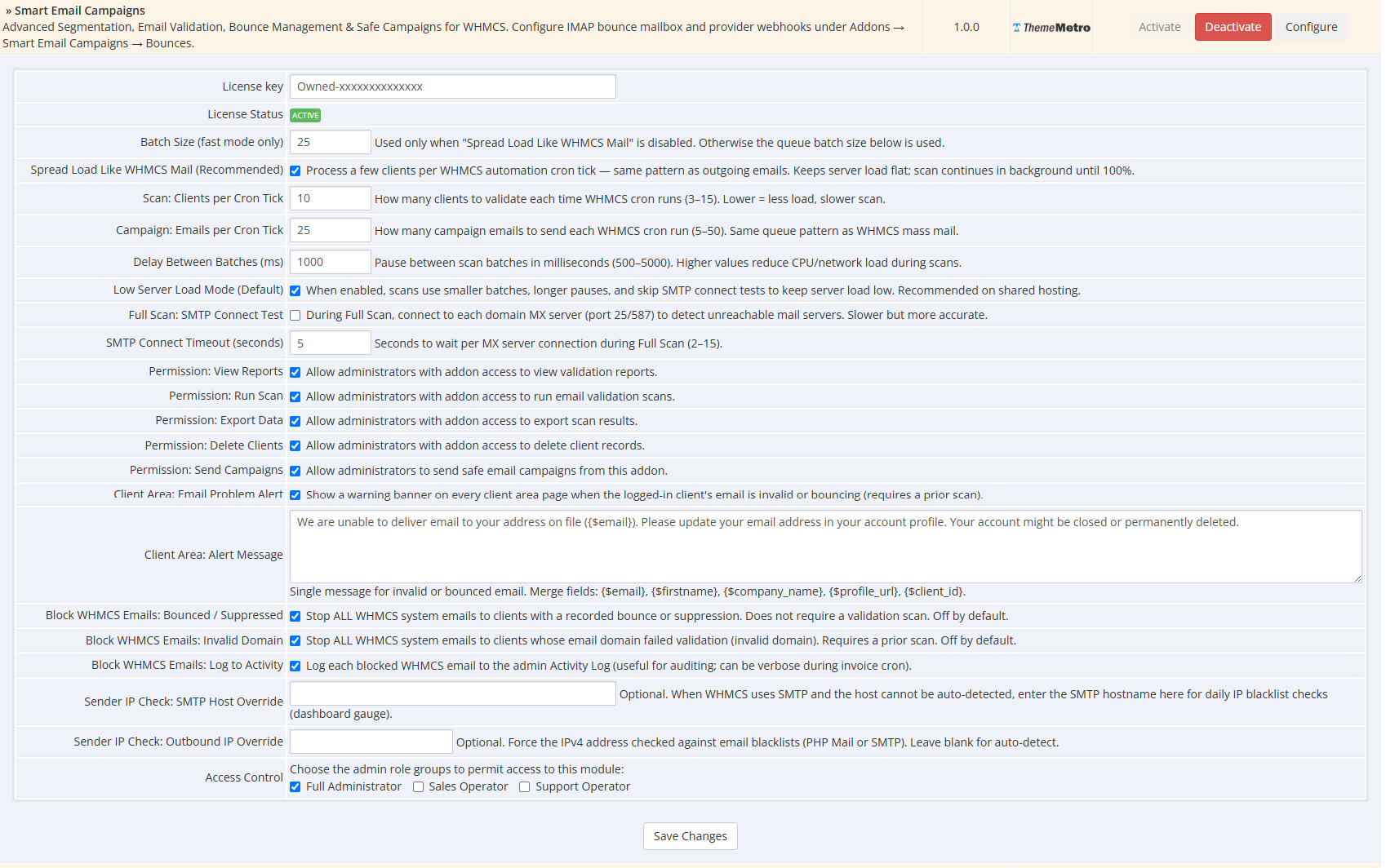
- That’s it! Just head over to WHMCS → Addons → Smart Email Campaign and start first scanning.
Updates:
Let's see how easy it is to update WHMCS Smart Email Campaign Addon from any old version. updating is very easy and can be completed in just a few steps.
Make a Full Backup - We cannot stress enough how important it is to *always* take a full backup before attempting any kind of upgrade/install. Both for WHMCS and any other software you use. A full backup should be taken of both the WHMCS files and the database.
It is very simple you can update easily by using following below simple steps.
- Download the latest version of addon and replace all files and folders with the updated version.
- Clear all template caches including admin template.
Please Contact Us if you are facing any issue i any other WHMCS theme, we'll try our best but we do not guarantee because sometime we required attention/help from 3rd Party vendors.